
Unlock the Secrets of NAS Servers: Revolutionize Your Data Storage Experience!
In an age where data is the new gold, the need for efficient and reliable storage solutions has never been more critical. This is where Network-Attached Storage (NAS) servers come into play, offering a seamless way to manage and access your data. Whether you're a tech-savvy professional or a casual user, understanding NAS servers is essential as they provide a centralized hub for storing files, enabling easy access from multiple devices. This article will delve into the functionality of NAS servers, how they operate, and the myriad benefits they offer for both personal and professional data management.
What is a NAS Server?
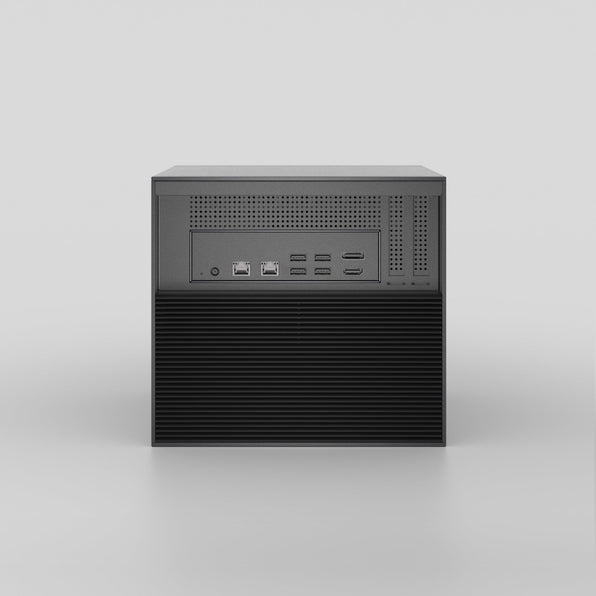
At its core, a NAS server is a dedicated file storage device that connects to a network, allowing users to store and retrieve data from a centralized location. Unlike traditional storage solutions such as external hard drives that require direct connection to a computer, NAS servers operate over a network, making them accessible from various devices like smartphones, laptops, and tablets. This networked approach allows multiple users to access files simultaneously, making it an ideal solution for both home users and businesses. One of my friends, a small business owner, switched to a NAS server to manage his growing data needs and found it to be a game changer in terms of file access and collaboration among his employees.
How Does a NAS Server Work?
The technology behind NAS servers is both fascinating and practical. They typically consist of one or more hard drives housed within a dedicated device, connected to a local network via Ethernet. Users can access the NAS through a web interface or dedicated software, allowing for easy file management and organization. Most NAS systems utilize robust file systems that support data redundancy, meaning that if one drive fails, the data remains safe and accessible from another drive. This is achieved through various RAID (Redundant Array of Independent Disks) configurations. For instance, a RAID 1 setup mirrors data across two drives, ensuring that your files are safe even in the event of hardware failure. My colleague, who is an avid photographer, uses a NAS to store thousands of photos securely while ensuring easy access for editing and sharing with clients.
Benefits of Using a NAS Server
The advantages of employing a NAS server for data storage are numerous. One of the standout benefits is centralized file management, which means all your important documents, photos, and videos are stored in one location, making it easier to organize and retrieve them. Furthermore, NAS servers allow for hassle-free access from multiple devices, so you can easily work from your laptop, tablet, or smartphone without the need for USB drives. Security is another significant aspect, as many NAS systems come with built-in encryption features and the ability to create user permissions, ensuring that sensitive data is protected. For both home users and businesses, NAS servers can also serve as reliable backup solutions. My neighbor, who is a freelance writer, set up a NAS to back up all her work automatically, providing her peace of mind knowing her valuable content is securely stored.
Comparing NAS with Other Storage Solutions
When comparing NAS servers to other storage options, such as external drives and cloud storage, the unique features of NAS systems become apparent. External drives, while portable, require direct connection to a computer and can only be accessed by one user at a time. Cloud storage, on the other hand, offers remote access but often comes with recurring fees and potential privacy concerns. NAS servers bridge the gap by providing local data storage with remote access capabilities, allowing users to enjoy the best of both worlds. They offer a one-time investment with the flexibility to scale as your storage needs grow, making them a smart choice for many users.
Embracing the Future of Data Storage
In summary, NAS servers represent a modern solution to the evolving challenges of data storage and management. By providing centralized access, robust security features, and ease of use, they have become indispensable tools for individuals and businesses alike. As our reliance on digital data continues to grow, considering a NAS solution could significantly enhance your storage experience. Whether you're looking to streamline your personal files or manage a company's data efficiently, a NAS server might just be the perfect investment for your needs.